
How to fix a backdrop in Lightroom
- Oct 28, 2018
- 1 min read
Updated: Oct 28, 2018

After shooting an 8 hour photoshoot at rentasetstudio in Virginia Beach recently and after looking over 1,000 photos, I realized pretty quickly that editing all of them in photoshop was going to be a daunting task.
Such all of my shots were taking with all the same lighting situation and I wanted all the same look, I could do all of the edits in lightroom.
Here is the
before image.

I used the crop tool first to get a nice rectangle to work with.
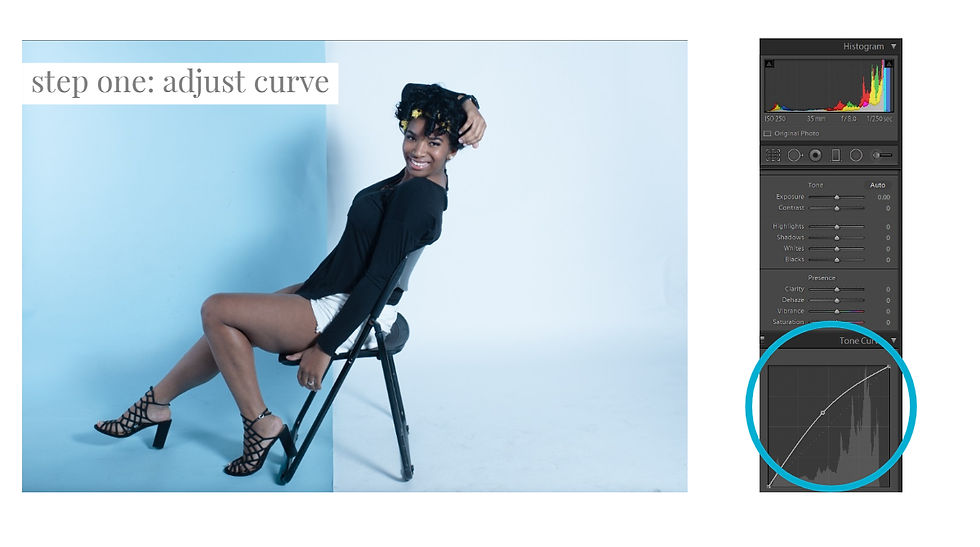
Pull up the curve in lightroom to brighten up the image.
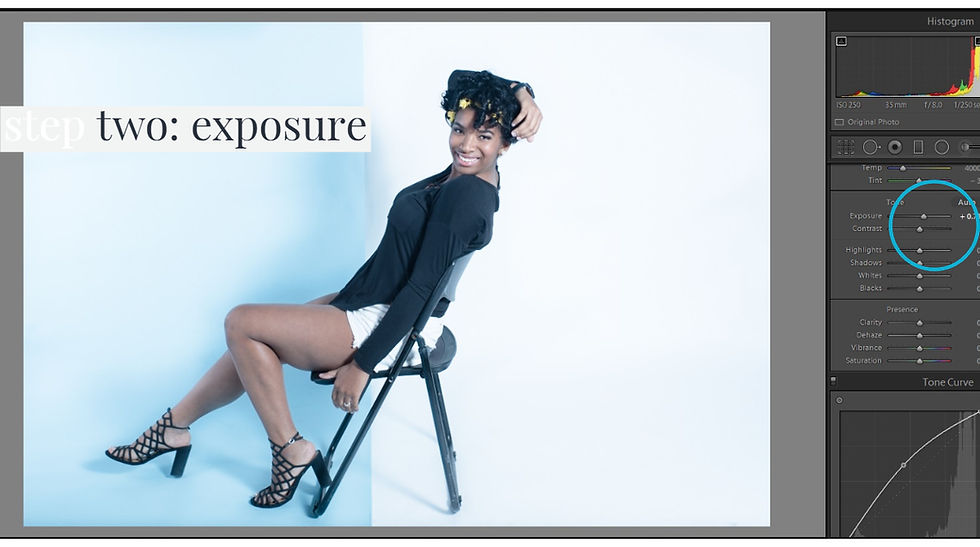
Bring up the exposure just a little. You can also adjust temperature at this point as well. I like shooting cooler than warmer personally.
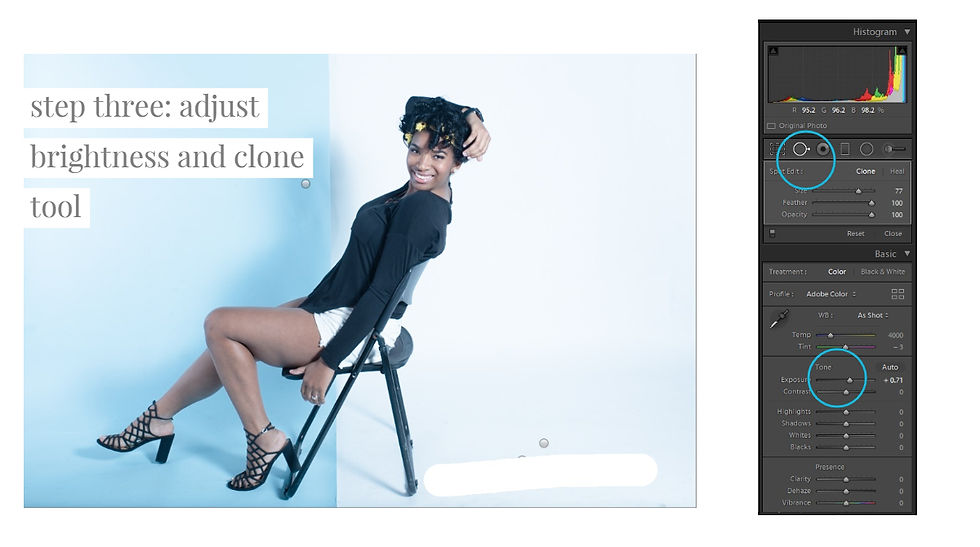
use the clone tool to clone out smudges or flooring flaws.
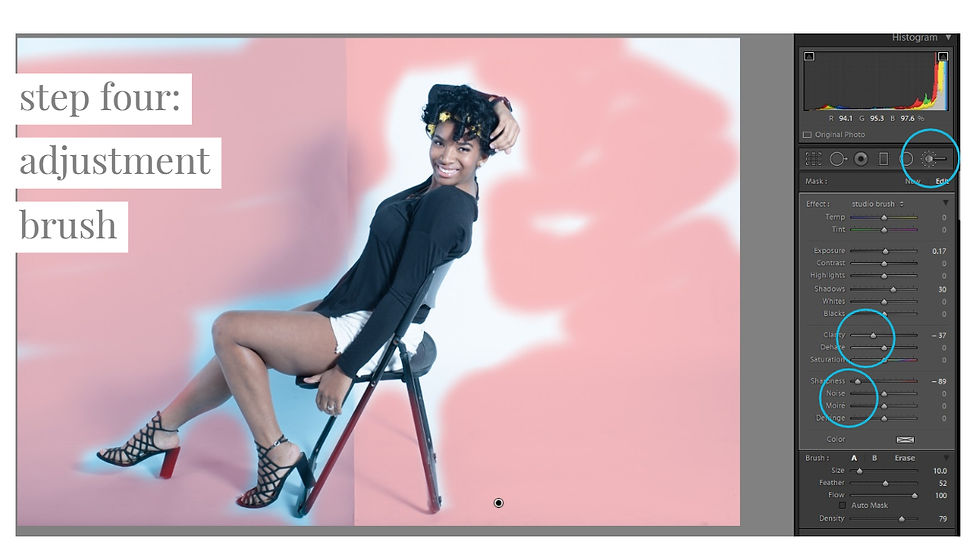
Then I used the adjustment brush to smooth out, take down the clarity and sharpness.
Here is the final image.

Here is the before and after image of what we did in lightroom without having to go to photoshop at all!


Christal Marshall is a mom of three, photographer, videographer, homeschooler and just a straight hustler.
She was voted top 20 wedding photographers in VA in 2016 and 2018. She has been featured over 40 times in various different publications.
See more of her work: www.instagram.com/chicamarsh, www.facebook.com/marshallartsstudio or www.virginiaphotosandfilms.com


Book our studio now for your creative session in Hampton Roads, VA: www.rentasetva.com
Follow us on Instagram: www.instagram.com/rent.a.set.studios.com
Follow us on Facebook: www.facebook.com/rentasetstudio


Comments